Believe it or not, WeChat has a very strict detection. Once, it finds something unusual, your WeChat will be blocked. They say it’s for your account’s safety. In terms of the safety of WeChat account. It does help prevent accounts from being hacked. But it really annoys the normal users. Many foreigners’ WeChat account has been blocked for no reason. You tried to use WeChat as usual, but you were told that your account was blocked, unable to log in WeChat account. So how to fix it? In this article, I will show you all kinds of blocking types and how to unblock them.
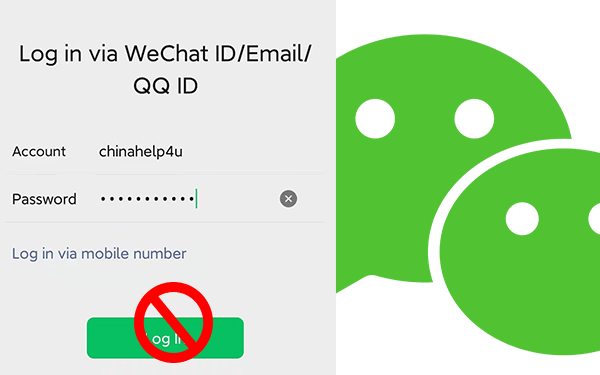
The WeChat’s main blocking types:
- Unnormal registration.
- Sending too much request.
- Unusual activity.
- WeChat compromised.
- Suspicious Login.
As for as I know, most users didn’t violate the terms of WeChat. Their account just getting blocked for no reason. Once your account was blocked for no reason, or just simply can’t log in. Keep reading, I will show you how to fix it.
How to fix WeChat won’t let me log in ?
Case 1:Forget the WeChat password.
Case 2:Unable to receive SMS verification code or “password reset” email.
Case 3:Account Blocked.
Case 4:Using a new device to log in for the first time.
Case 5:Account froze.
Case 1:Forgot WeChat password or WeChat ID
WeChat recommends users to associate their accounts with other accounts like QQ account, QQ Email, Email, Facebook and phone number. So, if you have linked your WeChat account with other accounts, then there are three ways you can try to use, linking your WeChat account to a mobile phone number is the easiest way for your account’s safety. If you haven’t, then I recommend you link it. If you don’t have QQ account, I recommend you to create QQ account, as WeChat and QQ belong to the same company. Besides, WeChat and QQ are both the top used instant message social media in China with no competitors.
Forgot WeChat password won’t be a big problem as long as you linked phone number before. Linking phone number is a must step for new users, now. For old users, they might not link any phone number to WeChat, they just use QQ account or QQ email to log in WeChat directly. If so, then this way is not working for you.
NOTE: If you didn’t set up a password for WeChat, don’t forget to set up WeChat password, it will save your time in the future. The good news is WeChat allows you to sign in WeChat with phone number+SMS code without setting up password.
1. Log in via Mobile number + SMS code.
1). Tap [ More Options ]or [ More ] at the bottom of the WeChat login page.
2). Select [ Log in to Another Account ].
3). Tap [ Login Via Mobile Number ].
4). Then Select your region code and enter your mobile number correctly.
5). Tap [ Next ], then tap [ Use SMS verification code to log in ].
6). Tap [ Send] Then an SMS verification code will be sent to your mobile phone, enter the SMS code
7). Tap「Log In」
2. Log in via QQ ID and QQ password
As I said, for old users, they don’t need to sign up WeChat, they could use QQ ID or QQ email to sign in WeChat. In this case, if you forgot WeChat password, try to use this way.
1) Tap「More」at the bottom of WeChat login page
2)Select「Log in to Another Account」.
3) Tap「Use WeChat ID/Email/QQ ID to Log in」.
4) Enter the previously linked QQ ID and QQ password, then tap「Log In」.
3. Log in via retrieve/reset password
Note: If you have forgotten your QQ password, you can retrieve or reset your password.
1). Tap「Unable to log in?」 at the bottom of WeChat login page.
2). Tap「Email Linked」, enter your linked email address and then tap「Next」.
3). An email will be sent to your linked email address, Check your email and follow the instructions in the email to reset your password.
4). Login to WeChat again with the following steps.
1. Tap「More」at the bottom of the login page.
2. Click on「Log in to another account」
3.「Use WeChat ID/Email/QQ ID to Log in」
4. Enter your email address or WeChat ID and new WeChat password.
5. Tap 「Log in」.
If you are still unable to log in via any of your linked accounts. Then you should request your password to be reset.
1. Tap「Unable to Log In?」on the login page.
2. Click 「Request Password Retrieval」.
3. Tap 「Request」you will see two items on the screen. 「If you forgot your WeChat ID」 and「I can still remember my WeChat ID」. Choose what you need and submit as instructed.
4. After completing all those steps and submit your request. You may receive a result within 24 hours. Once your appeal is approved, a new WeChat password will be sent to you via SMS.
5. After that, you can log in to your WeChat with your new password.
Congratulations! You have reset your WeChat password. however, there is another thing you need to know. Once you login into your WeChat with your new password, all linked accounts might automatically be unliked and you need to link it again if you want to.
Case 2:Unable to receive SMS verification code or “password reset” email
Sometimes, you won’t receive SMS verification code or “password reset” email when you try to reset your password. Then what should you do?
Sometimes, you didn’t receive SMS code or password resetting email. You should check the following reasons that might cause the error.
- The region you have selected is not correct.
In this case, you should check it out, make sure the country/region is selected correctly. - Did you enter your phone number correctly?
Make sure that you have entered the appropriate mobile number. There is no need to enter the country/region code in front of the mobile number. Because,when you selected the country/region, the country/region code has been selected automatically. - Landline phone numbers or virtual phone number are not acceptable.
- Make sure your phone or phone number is able to receive SMS messages. You can ask your friend to send you a message, check whether your phone is able to receive message or not. If your phone still can’t receive messages, it could be poor network connection, your number is roaming/out of credit/out of service, etc. Please check it, and try again later.
- Check whether your phone has blocked SMS messages from unknown senders or not. Or your phone has any anti-virus App which may block SMS messages. If so, you can turn off the blocking feature temporarily, and request another SMS verification code again.
- You can not request SMS verification code too frequently. Otherwise, you will be suspected of a robot. So, you should try again later.
If none of those causes not receive SMS code or email, then, it could be WeChat’s tech issue or service latency. In this case, please send feedback to WeChat support team.
Case 3:Account Blocked.
Your WeChat account may be blocked sometimes. If so, you should know why your WeChat account is blocked and how to fix it. I’ve update the ultmate tutorial guide for unblocking WeChat account.
Case 4:Using a new device to log in for the first time.
It’s a good thing that you finally buy a new device. However, you can’t log in to WeChat as usual. You are requested to verify your identity. Normally, you need to verify your identity with your old device. You had better keep your old device before you log in to your new device for the first time successfully.
In this case, if you have the old phone device, just use the old device to scan the QR code that WeChat showed you. If you don’t have old phone device, then you need to ask WeChat friends to help you log in. I don’t want to duplicate the content, please check my article about 4 ways to verify WeChat on the new device.
Case 5:Account froze.
If your WeChat account has been frozen, you need to unfreeze your account.
- Open WeChat and tap 「…」at the top-right corner of the login screen.
- Tap 「Go To WeChat Security Center」.
- Tap「Unfreeze Account」.
- Tap「Unfreeze」, unfreeze as instructed.
NOTE: Do not attempt to freeze or unfreeze your account too frequently or your account may be permanently frozen and will be unable to manually unfrozen for security purposes.
Thank you for reading my blog. I really hope it will help you in some way. If you have any questions, please comment below.