Many of you are confused about how to scan QR code on WeChat. It’s normal if you didn’t use it before. However, you will be requested to scan QR code more frequently when you are using WeChat. it will be helpful to add friends or to verify your account even for your WeChat account safety. So, you need to learn how to use it. keep reading I will you how.
Today, I will show you two type of QR code. One is displayed on the screen, paper or object that not on your own device. The other one is displayed on your own device. (eg. you need to scan a QR code on your own phone or to scan an image QR code on your own phone.)
Method 1: Scan QR code which is not displayed on your phone.
- Open WeChat via tapping WeChat icon.
- Log in to your WeChat.


- Click [+] button on the top right of the screen.
- And then tap [Scan] icon on your phone.
![tap the [+] button](https://chinahelp4u.com/wp-content/uploads/2018/12/tap-the-button.jpg)
![Tap [Scan] button](https://chinahelp4u.com/wp-content/uploads/2018/12/Tap-Scan-button.jpg)
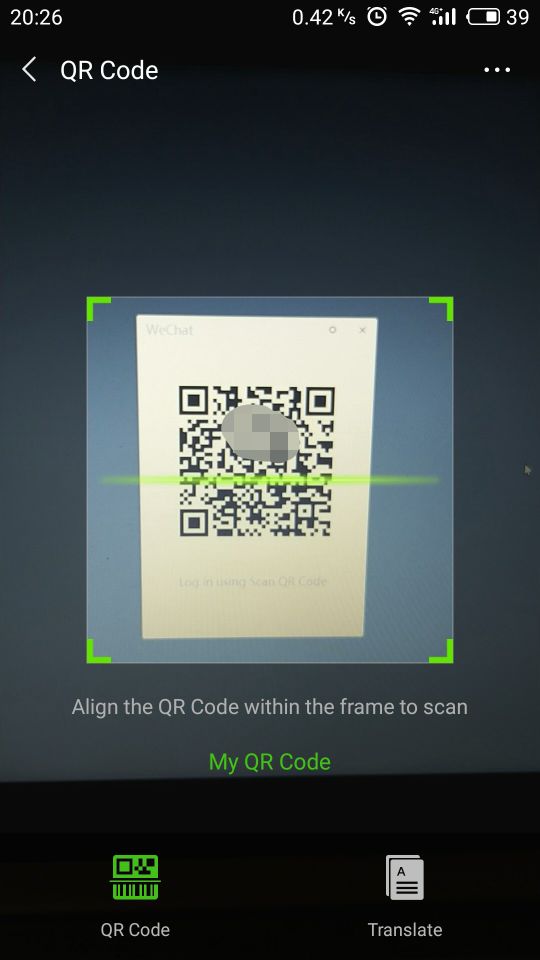
- Point your phone camera at the QR code and have it within the guidelines.
NOTE: If QR Code expired, you need to refresh it(Click Refresh icon).
Method 2: Scan QR code in an image.
This method is for scanning QR code image which displayed on your own device.
- Open WeChat via tapping WeChat icon.
- Log in to your WeChat.
I will not show you the instruction of image in these two steps, you can find it on Methond1. - Click the QR code image.
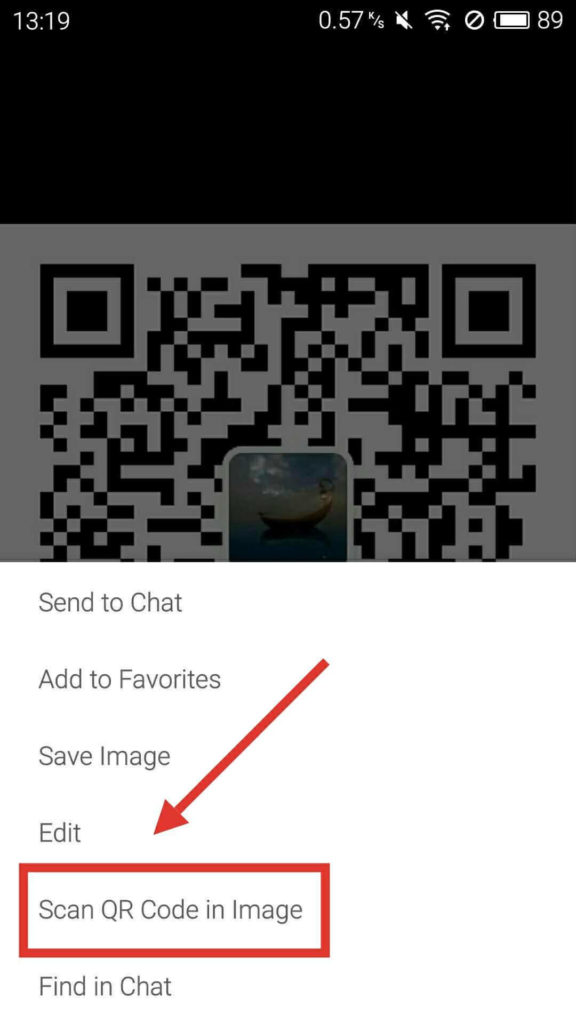
- Long press the QR code image and then you can tap [Scan QR code in image].

As you can see, it’s really easy to scan QR code on WeChat. Right? If you’re still confused about how to scan QR code, or have any other questions, don’t hesitate to comment below.