Sometimes you will be requested to enter your QQ ID/WeChat ID / QQ email and then many of you might be confused with QQ ID, WeChat ID, QQ number and QQ email. All that you need to know is that they all belong to Tencent company. Therefore, you could use one ID to log in to another platform sometimes. So, today I will show you the difference between QQ ID, WeChat ID, QQ number and QQ email.Also, I will show you how to change your WeChat ID below,just keep reading.

What’s QQ ID? What’s QQ number?
QQ ID = QQ number
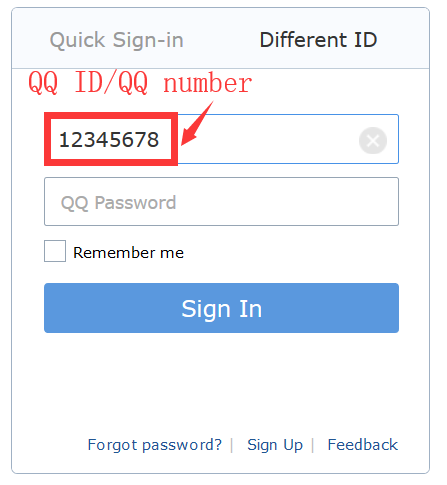
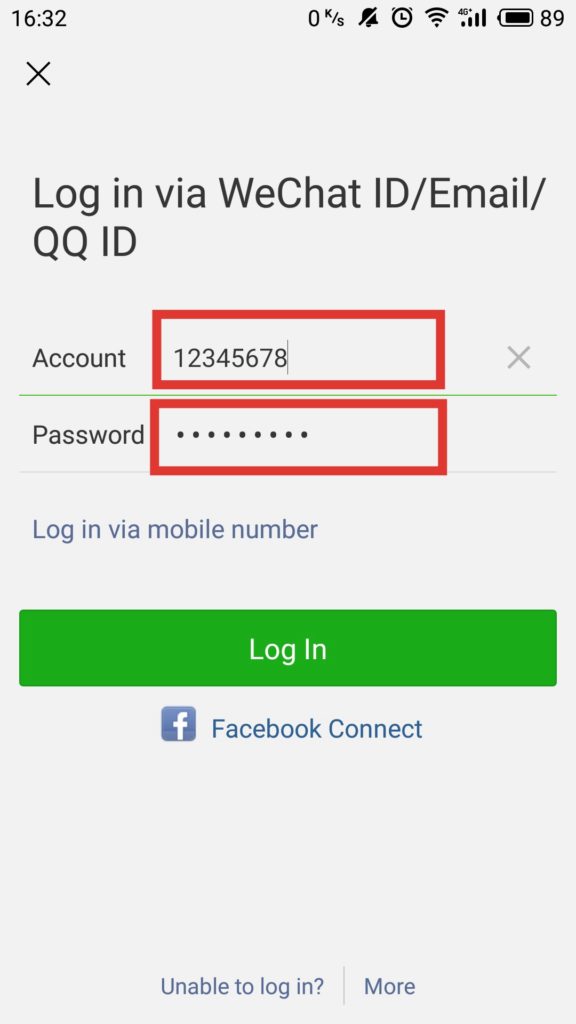
QQ ID is some digit number. (e.g 12345678).
Then your QQ number is also the same as the QQ ID (e.g 12345678).
sometimes, we call it QQ ID , sometimes, we call it QQ number.So, they make on difference.
What’s QQ email? How to create my QQ email?
QQ email is your QQ ID(QQ number) + qq.com.
If your QQ ID or QQ number is 12345678 then your QQ email is 12345678@qq.com.
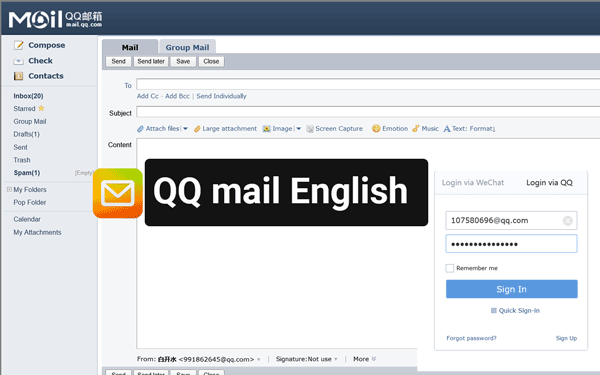
Actually,when you create a QQ account then the QQ email will be created automatically. you can log in to your QQ email on here.
Enter your QQ ID(QQ number) or your QQ ID+qq.com and enter your password.

If the page shows you need to active it then follow the instruction to active it.
What’s WeChat ID? How to find your WeChat ID and change it?
WeChat ID is your unique name that friends can search for to find you. You may wondering that how do I know my WeChat ID? Follow my steps then you will find your WeChat ID.
1 Tap WeChat icon and log in to your WeChat

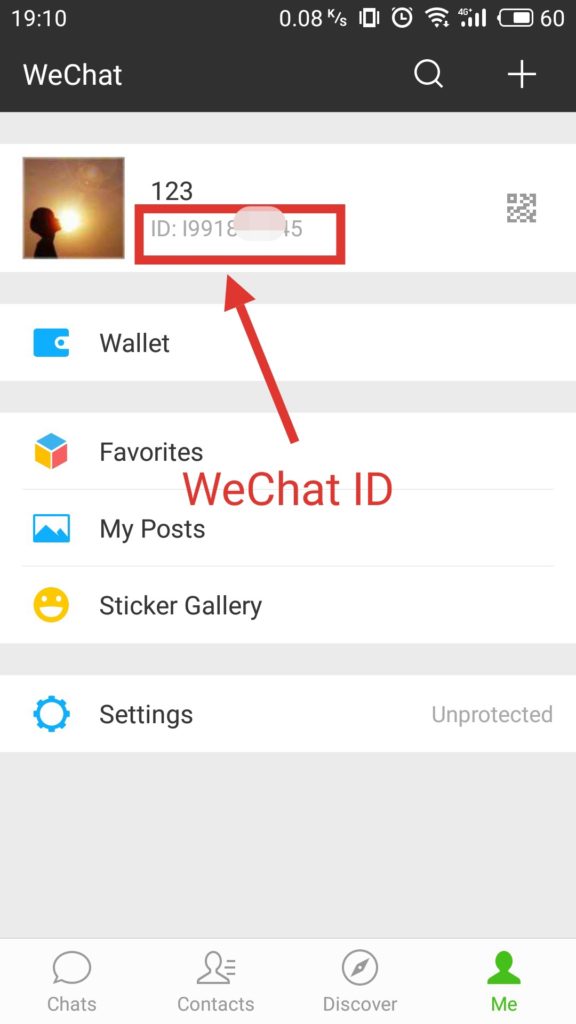
2 Tap on [Me] in the bottom right -hand corner of the screen.
After that, you will see your WeChat ID as follow picture marked.
If you want to change your WeChat ID, then you can follow my next steps.

3 Click on [Settings] icon.
![click on [Settings] button](https://chinahelp4u.com/wp-content/uploads/2018/12/click-on-Settings-button.jpg)
4 Go to [Account Security] and click it.
![Go to [Account Security] and click it](https://chinahelp4u.com/wp-content/uploads/2018/12/Go-to-Account-Security-and-click-it.jpg)
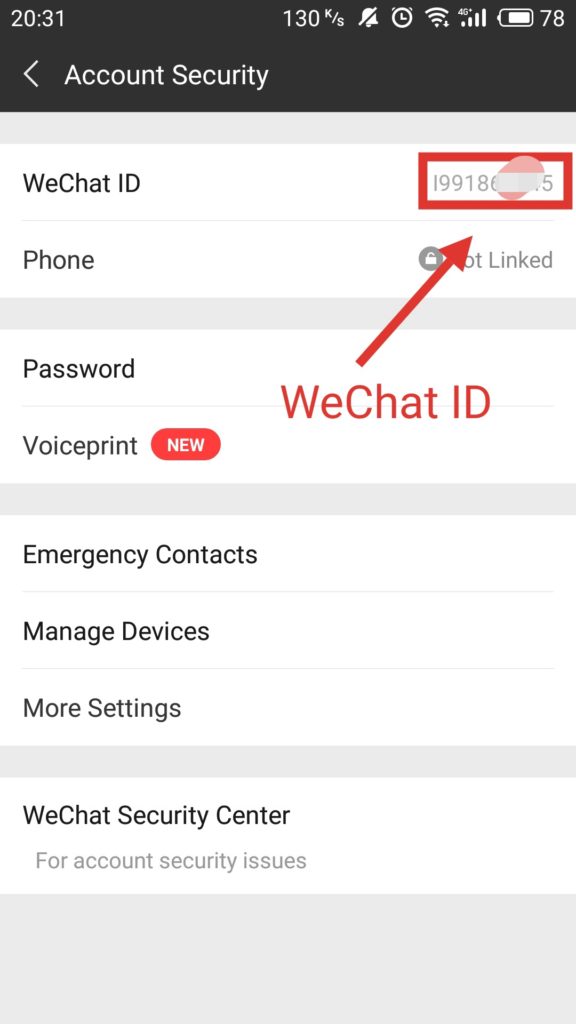
5You will see your WeChat ID as below.
If you want to change your WeChat ID, you can click it and change it.
NOTE: Wechat ID can be changed once only. Before you start your change, think through your new WeChat ID.
Now, do you know what’s QQ ID, QQ number,WeChat ID,and QQ email? If you still confused with that or have any other questions, please comment below.